hdpbet Casino & Sportsbook Mobile App
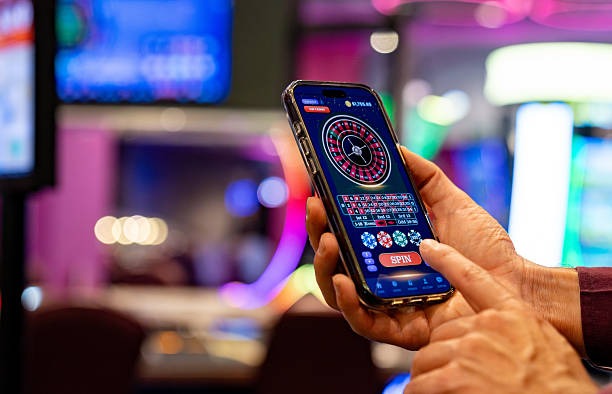
Our mobile app for hdpbet delivers live-dealer tables, sportsbook markets, and slot games directly to your phone. Whether you use Android or iOS, we offer a streamlined experience—fast table loading, low-data streaming for live blackjack and roulette, and one unified wallet across all game types. Your account syncs instantly between app and web, so your balance, transaction history, and deposit methods remain consistent no matter which device you use.

- SHA256 Match
- Installin
- StartFirst Game
We designed the hdpbet app for users who want to access live-dealer studios from anywhere—during your commute in Jakarta, a break in Surabaya, or a quiet moment at home. Push notifications alert you to market opportunities (Liga 1 matches, Piala AFF tournaments, esports drops), so you do not miss coverage. The app caches game data locally, meaning you can load previously viewed tables faster and reduce data consumption on slower connections.
Our app supports multiple payment methods—DANA, e-wallet, mobile banking, local payment, online payment, e-wallet, mobile banking, local payment, online payment, and e-wallet—so deposits and withdrawals are as convenient on mobile as on desktop. Account verification, identity document upload, and withdrawal requests all work through the app interface. We keep your data encrypted end-to-end and authenticate each session with secure tokens, so your account remains protected even if you connect over public WiFi.
Install hdpbet on Your Device
We provide three main paths to access hdpbet on mobile: Android APK direct download, iOS browser-based access with add-to-home-screen option, and our responsive web app. Each path is optimized for its platform—Android gets a native app with offline cache and push notifications, iOS users access a progressive web app through Safari, and web users get a full-featured responsive site that works on any smartphone browser.
The Android APK installation process takes under three minutes. Download the APK file, enable "Unknown Sources" in your device security settings, tap the file, and follow the prompts. Our app requests permissions to access your camera (for KYC document upload), microphone (for live-dealer chat), location (optional, for region verification), and storage (for offline data). You control each permission individually in your device settings.
-
Download the APK
Tap the Android button above or visit our app page to get the latest hdpbet installer file.
-
Enable Unknown Sources
Go to Settings → Security → Unknown Sources (or Install from Unknown Apps on Android 8+) and enable the toggle.
-
Install the app
Open your Downloads folder, tap the APK file, and follow the installation prompts. Grant permissions as needed.
-
Open and register
Launch hdpbet, create your account with email, username, and mobile number, then verify your identity to start.

App vs. Browser on hdpbet
Our Android app offers offline caching—game layouts and static assets load from local storage on subsequent visits, so tables appear faster even on slow connections. Push notifications alert you to live events (a Liga 1 match starting, a Dragon Tiger table opening, a sportsbook line moving), so you never miss market action. The app also manages battery and data more efficiently than a browser, using less RAM and delivering lower bandwidth consumption during video streaming from our live studios.
The web browser version works on any device and requires no installation. You access it immediately by visiting hdpbet.app in Safari, Chrome, Firefox, or Edge. The web app is fully responsive—layouts adapt to any screen size—and you can bookmark it for quick access. The trade-off is that the browser uses slightly more data per session and cannot send push notifications, so you must manually check the app for new opportunities.
For most users in Jakarta, Bandung, Medan, and other Indonesian cities, the Android app is the better choice if you have a modern device (Android 7 or higher). If you use an older phone or prefer not to install software, the web version works just as well and keeps your data secure with the same encryption standards.
Device Compatibility and Common Questions
We support Android 7.0 and above, which covers most smartphones manufactured in the last five years. iOS users can access hdpbet through Safari (iOS 12 or later) and add it to their home screen for an app-like interface. If your device is older than these versions, we recommend using the web version or upgrading to a supported device. You can check your Android version in Settings → About → Android Version; for iOS, go to Settings → General → About.
If you see a certificate error during Android installation, your device may not trust the certificate chain for our APK file. This is not a security issue—it simply means your device needs to validate the signature. Go to Settings → Security and check "Verify apps over USB" if the error persists. Alternatively, download the APK again from our official page and ensure the filename is hdpbet-latest.apk (not a shortened or redirected file). If you cannot install because "Unknown Sources" is greyed out, your device administrator (school, workplace, or parental controls) may be blocking installations; contact your device manager for permission.
Your hdpbet account remains secure on mobile because every login request uses HTTPS encryption and two-factor authentication (if enabled in your account settings). We never store your password on the device—only a secure session token. If you lose your phone, you can log out remotely from another device by visiting your account settings on the web version. Your deposits, withdrawals, and game history remain safe because they are tied to your email and identity verification, not the device itself.
We design every hdpbet feature—live tables, sportsbook, slots, payments—to work seamlessly across Android, iOS, and web, so your experience is consistent wherever you play.
Permissions and Data Usage
The hdpbet Android app requests five key permissions: Camera (to upload your KTP or passport for account verification), Microphone (to chat with live dealers on multi-camera tables), Location (to confirm you are in a supported jurisdiction), Storage (to cache game data and reduce bandwidth), and Network (to connect to our servers and payment processors). You grant or deny each permission individually, and you can revoke permissions at any time in Settings → Apps → hdpbet → Permissions. Revoking camera or microphone will prevent you from joining live-dealer tables until you re-enable it.
Data usage varies by activity. Watching a live-dealer stream uses approximately 1–2 MB per minute (depends on video quality, which adapts to your connection). Sportsbook browsing uses minimal data—under 100 KB per page. Slot games run locally on your device after the first download, so repeat plays use negligible bandwidth. We never sell your location data or camera permissions to third parties; these permissions are used only to verify your account and deliver the service you request.
We keep your personal data on hdpbet secure by encrypting it with AES-256 at rest and TLS 1.3 in transit. Payment information (DANA, e-wallet, mobile banking, local payment, online payment, e-wallet, mobile banking, local payment, online payment, e-wallet details) is tokenized—we do not store full account numbers on our servers. Your identity documents are encrypted and accessible only to our compliance team during verification. Once verification is complete, we delete the raw image and retain only a verification flag in your account. Read our Privacy Policy for the full data retention schedule.
Our hdpbet app is updated monthly with performance improvements, new game additions, and security patches. Check Google Play or our app page for the latest version. If you encounter a crash or loading issue, contact our support team via in-app chat—we typically respond within one business day.
Why Choose the hdpbet Mobile App
- Fast live-dealer access: Offline cache loads previous tables instantly; you join a blackjack or Dragon Tiger seat in seconds.
- Low-data streaming: Adaptive video quality ensures live broadcasts work on 4G, 3G, or WiFi without buffering.
- Unified wallet: Deposit via mobile banking, local payment, online payment, e-wallet, mobile banking, local payment, online payment, e-wallet, mobile banking, or local payment—your balance updates across sportsbook, live tables, and slots instantly.
- Push alerts: Never miss Liga 1 kickoff times, Piala AFF tournament schedules, or live-dealer table openings.
- Secure verification: Upload your KTP or passport once, and your identity is verified for all future sessions.